
Money on Khelv moves through the Wallet tab. Deposits use UPI QR codes, payment apps or USDT; withdrawals go to a bank account or UPI ID in your own name. Here is how both sides work and how to sort out the usual delays.

Khelv Deposit Steps
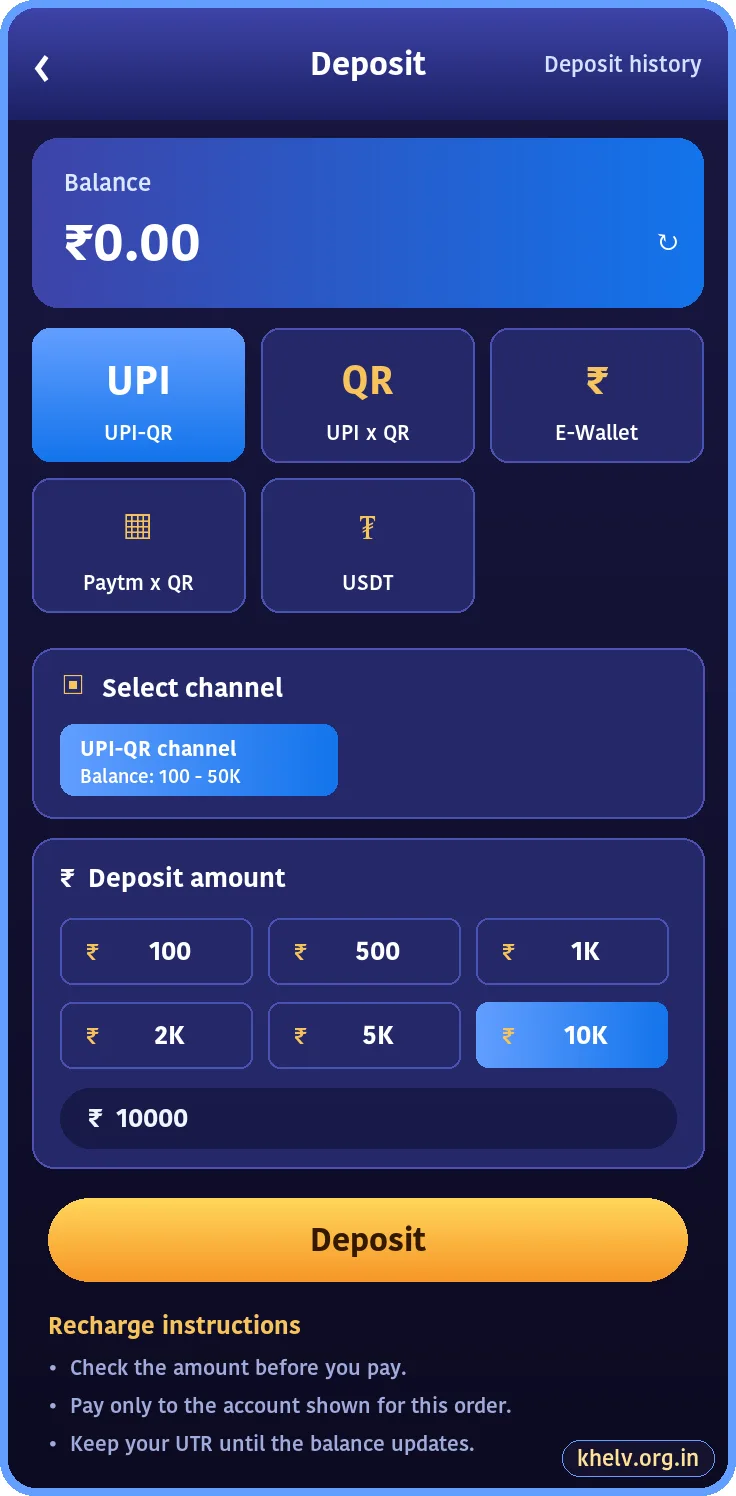
- Open Wallet and tap Deposit.
- Choose a method: UPI-QR, UPI x QR, E-Wallet or USDT.
- Select a channel and amount.
- Tap Deposit to open the payment page.
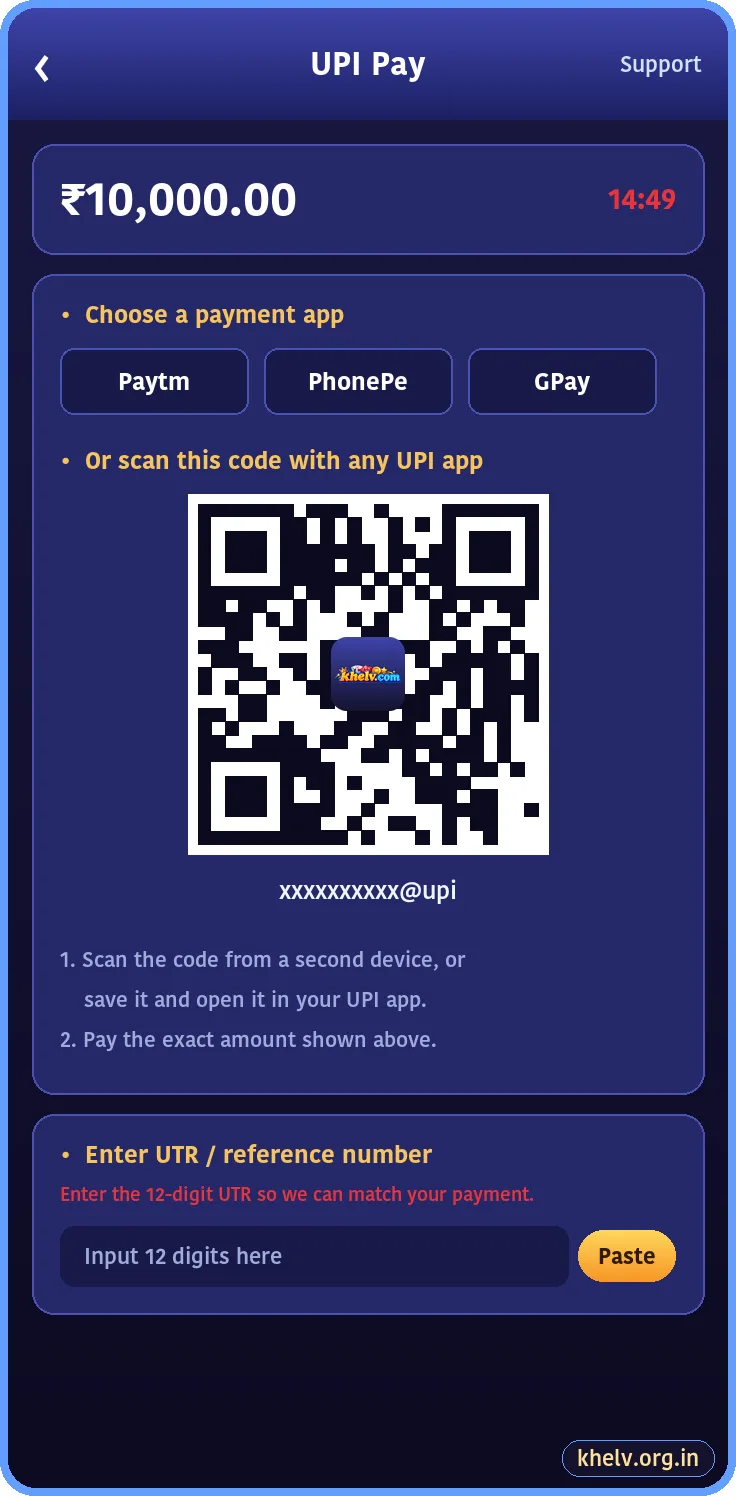
- Pay the exact amount with your UPI app.
- Paste the 12-digit UTR if asked and wait for the balance to update.
Khelv Withdrawal Steps
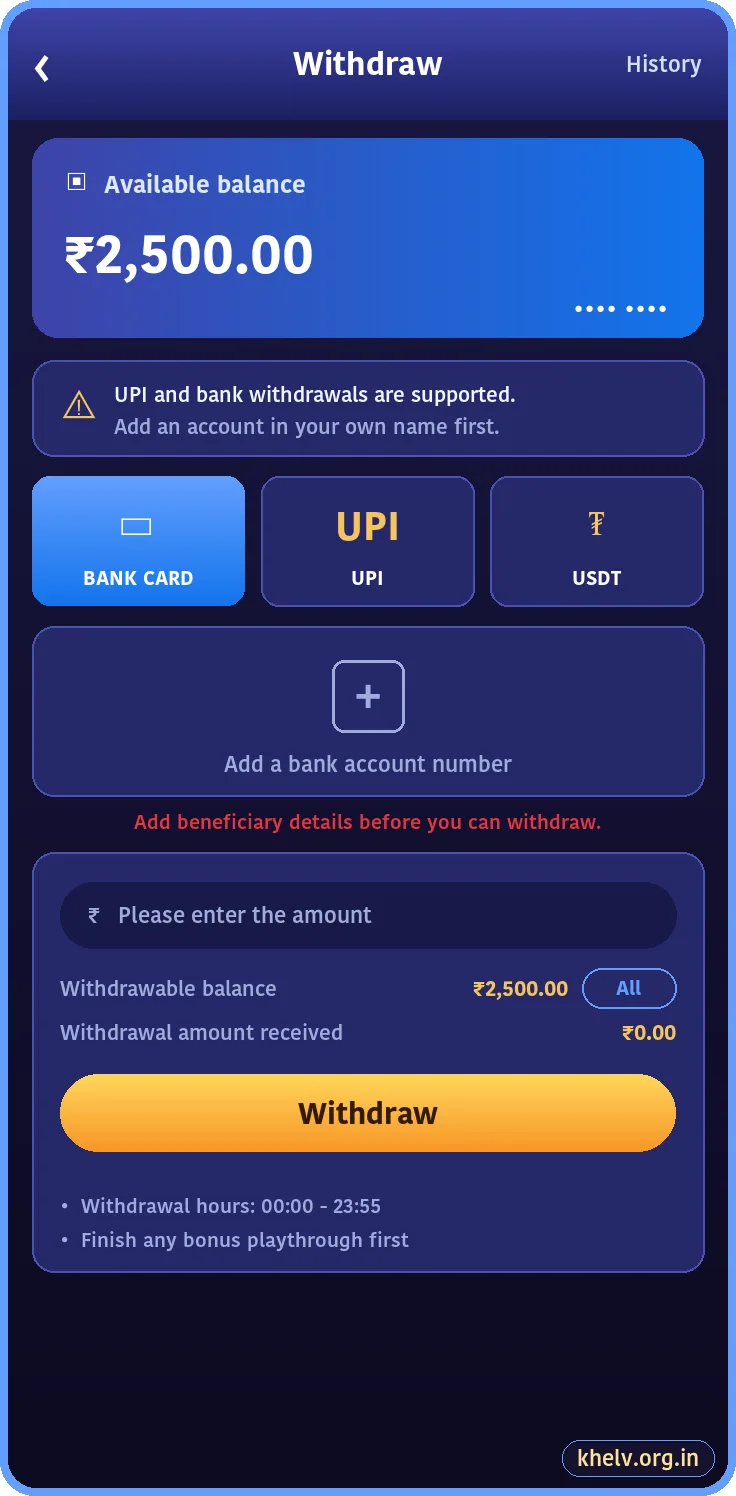
- Make sure a bank account or UPI ID is saved (see how to add a bank account).
- Open Wallet and tap Withdraw.
- Choose Bank Card, UPI or USDT.
- Enter the amount or tap All.
- Submit and keep a screenshot.
Limits and Timings
| Item | Typical value |
|---|---|
| Minimum deposit | Around ₹100 (depends on channel) |
| Minimum withdrawal | Around ₹100 |
| Deposit time | 1–15 minutes |
| Withdrawal time | A few hours, often same day |
| Withdrawal hours | Shown on the Withdraw screen |
These figures change from time to time; the app always shows the current limits.
Deposit Not Showing?
- Wait 15 minutes; UPI confirmations can lag.
- Check you entered the correct UTR.
- Never pay the same QR twice.
- Contact Khelv customer care with the UTR and a payment screenshot.
Withdrawal Pending?
- Bonus playthrough may not be finished.
- The bank name may not match your account name.
- First withdrawals sometimes get an extra review.
- Bank holidays can add a day.
Frequently Asked Questions
How long does a Khelv withdrawal take?
Usually a few hours. Large or first withdrawals can take longer.
Can I deposit on Khelv with UPI?
Yes, UPI QR and payment apps are the main deposit methods.
Related Khelv Guides
- Khelv Game – the complete Khelv guide home page
- Khelv Invite Bonus Chart
- Khelv Game Tips
- Khelv Register
- Khelv Login
- Khelv App Download